

Magic Link MFA — Zero-Footprint SMS Authentication
Magic Link is a zero-footprint authentication alternative for Mideye end users. It acts as an automatic fallback in Authentication Type 6 (Touch) for users who have not installed the Mideye+ app. Magic Link can also be used for Assisted Login.
How it works
Section titled “How it works”-
The user initiates a login to a Mideye-protected resource.
-
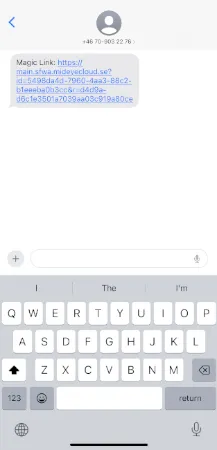
An SMS containing a Mideye Link is sent to the user’s mobile phone.
-
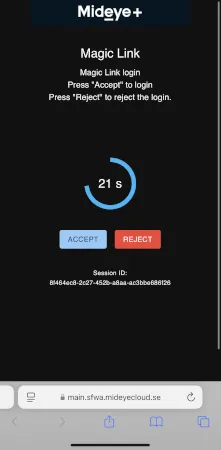
The user taps the link, which opens a web page to approve or reject the login.
-
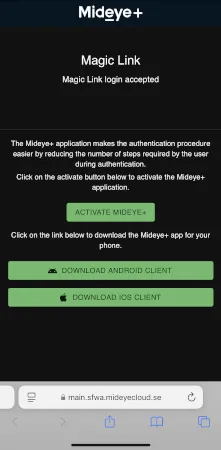
After authenticating, the user is offered the option to download the Mideye+ app for future logins.
Technical details
Section titled “Technical details”- No RADIUS challenge-response required — Magic Link works the same way as the Mideye+ app, enabling two-factor authentication on services that don’t support RADIUS challenge-response.
- Based on mobile number — The link is sent to the phone number stored in the user repository. No end-user setup is needed.
- Not a standalone authentication type — Magic Link is a fallback mechanism within Authentication Type 6 (Touch), not a separate type.
Related links
Section titled “Related links”- Authentication Types — Full list of supported authentication types
- Mideye+ App Setup — Install and activate the Mideye+ app
- Magic Link Endpoints — Server-side endpoint configuration
- Magic Link API — Integration guide and API reference