

Enable Mideye Server REST API for Automation
Overview
Section titled “Overview”Mideye Server provides a REST API for automation and integration tasks. The API is disabled by default and must be explicitly enabled. Only the root user has access to the API documentation.
Common use cases:
- Export accounting and authentication logs
- Integrate with SIEM or monitoring systems
- Automate user provisioning tasks
Mideye Server 5 offers a rest API that is hidden by default. This API is mainly used for internal development but can be enabled to automate certain tasks such as exporting accounting information and authentication logs. Please be advised that this API can be changed when new releases are available.
Enable API documentation in MideyeServer:
“Windows”
Section titled ““Windows””Open C:\Program Files (x86)\Mideye Server 5\MideyeServer.ini
edit: Virtual Machine Parameters= and add -Dspring.profiles.active=prod,swagger,mideye-internal
The line can look like this after editing.
Virtual Machine Parameters=-Xrs -Xms512M -Dspring.profiles.active=prod,swagger,mideye-internal -Dlogback.configurationFile="file:C:\Program Files (x86)\Mideye Server 5\config\logback.xml" -Dlogging.config="file:C:\Program Files (x86)\Mideye Server 5\config\logback.xml" -Dspring.config.additional-location="file:C:\Program Files (x86)\Mideye Server 5\config\"Save the file and restart the Mideye Server service. Open the web GUI and login as root. This is the only role that will have access to the rest API.
”Linux”
Section titled “”Linux””Open /opt/mideyeserver/config/application-prod.yml and add profiles: section under the spring: resource. Indents should match the rest oft file.
spring: profiles: active: prod include: swagger,mideye-internalSave the file and restart the Mideye Server service. Open the web GUI and login as root. This is the only role that will have access to the rest API.
In the top right corner, navigate to “Internal rest API”
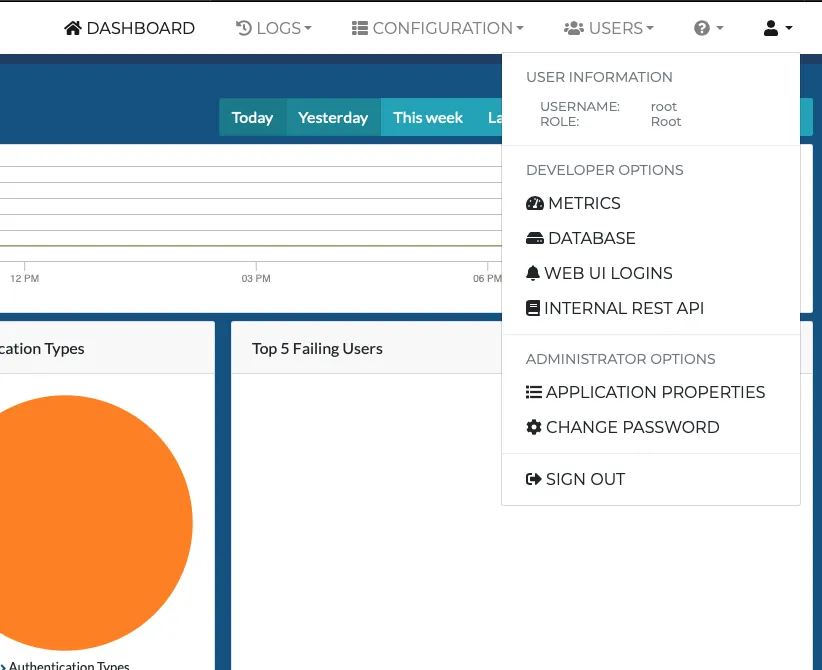
The Internal rest API page will show all available operations and can be tested by expanding them and click the “Try it out!” button.
These rest API’s can also be executed remotely and should always include the token-ID generated with the “mideye-server-jwt-controller” API.