Configure User Log Retention & Auth History
Overview
Section titled “Overview”Mideye Server maintains detailed logs of all authentication attempts and user sessions. You can configure retention periods to meet compliance requirements while managing database storage.
Default retention periods:
| Log Type | Default Retention | Description |
|---|---|---|
| Authentication logs | 365 days | User authentication activity visible in web GUI |
| Log entries | 30 days | Detailed log files in \Mideye Server 5\log |
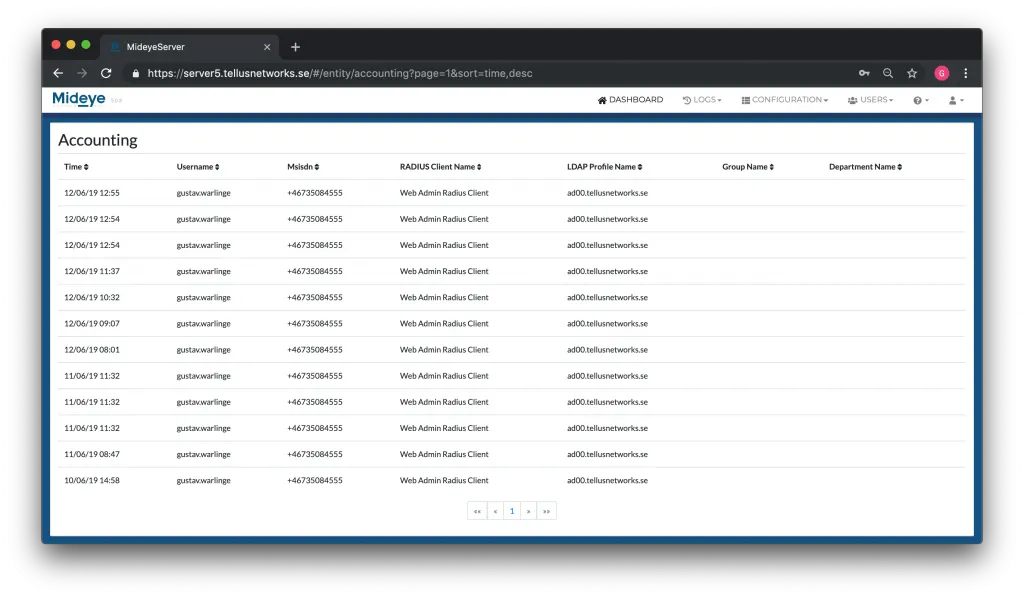
All accounting, authentication attempts, and logs will be accessed from the logs tab. This tab does not contain any configurable settings and is the only tab except for the dashboard that the role Mideye Operators will be able to view. More information about the different roles can be found here.
Database retention settings
Section titled “Database retention settings”Starting from Mideye Server 5.3 it is possible to customize how long the authentication logs should be stored before being deleted. The retention settings is divided into the following options:
- retentionInDaysForAuthenticationLog
- retentionInDaysForAuthenticationLogEntries
The default settings are 365 days for authentication logs and 30 days for authentication log entries.
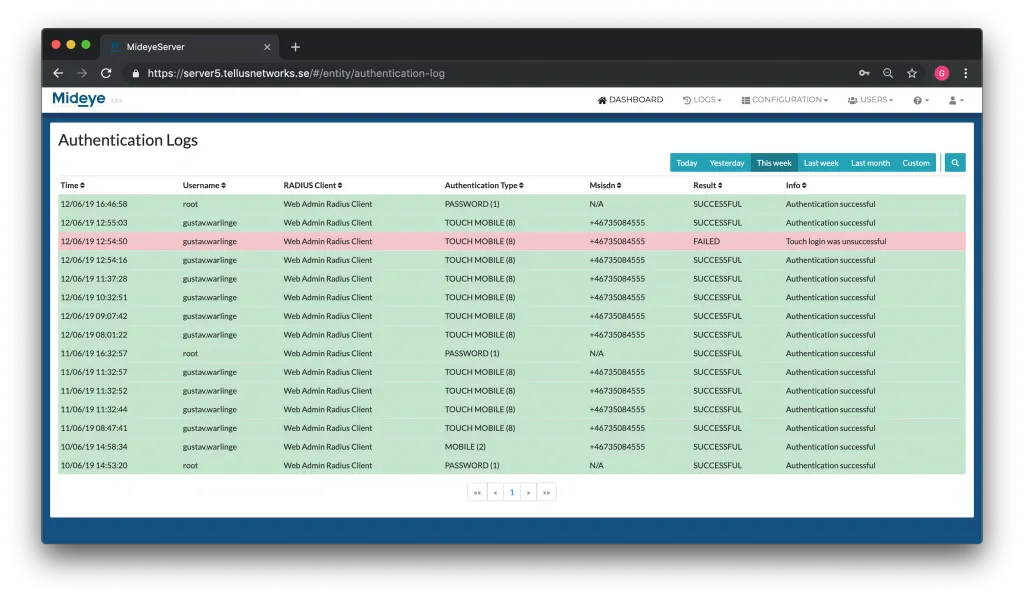
Authentication logs can be viewed from the web GUI and will show all user authentication activity.
Log entries are more detailed and can be viewed from \Mideye Server 5\log or directly from the web-GUI under “Logs” followed by “Log Files”
Changing the values for database retention
Section titled “Changing the values for database retention”Both settings for database retention can be changed from the application-prod.yml located in \Mideye Server 5\config\ folder. Open the file as an administrator and scroll to the very end of the code. If not already added, paste the following code:
cron: # cronExpression: '0 * * * * *' cronExpression: '0 0 * * * *' retentionInDaysForAuthenticationLog: 365 retentionInDaysForAuthenticationLogEntries: 30Change the value of retentionInDaysForAuthenticationLog and retentionInDaysForAuthenticationLogEntries to a desired value.
This will be executed as a cron-job using the following syntax
* * * * * *- - - - - -| | | | | || | | | | + year [optional]| | | | +----- day of week (0 - 7) (Sunday=0 or 7)| | | +---------- month (1 - 12)| | +--------------- day of month (1 - 31)| +-------------------- hour (0 - 23)+------------------------- min (0 - 59)where the default value cronExpression: 0 0 * * * * will execute the cron-job each day at midnight.
Save the file and restart the Mideye Server for changes to take effect.
Authentication logs
Section titled “Authentication logs”This view gives a detailed overview of the latest authentication attempts made by all RADIUS clients. The data can be sorted on:
- Time
- Username
- RADIUS client
- Authentication type
- Msisdn (phone number or token)
- Result (Successful or failed authentication)
- Info
Accounting
Section titled “Accounting”The accounting page will show all successful logins with a timestamp. The accounting can also be exported to a csv-file.