Configure RADIUS Vendor Specific Attributes (VSA)
Overview
Section titled “Overview”Vendor Specific Attributes (VSA) enable you to send custom RADIUS attributes to VPN concentrators and network devices. Many vendors (Cisco, Palo Alto, Fortinet) require proprietary attributes that are not part of the standard RADIUS specification.
Use cases:
- Assign users to specific firewall groups based on Active Directory membership
- Send custom authorization attributes to VPN concentrators
- Pass vendor-proprietary settings in RADIUS Access-Accept responses
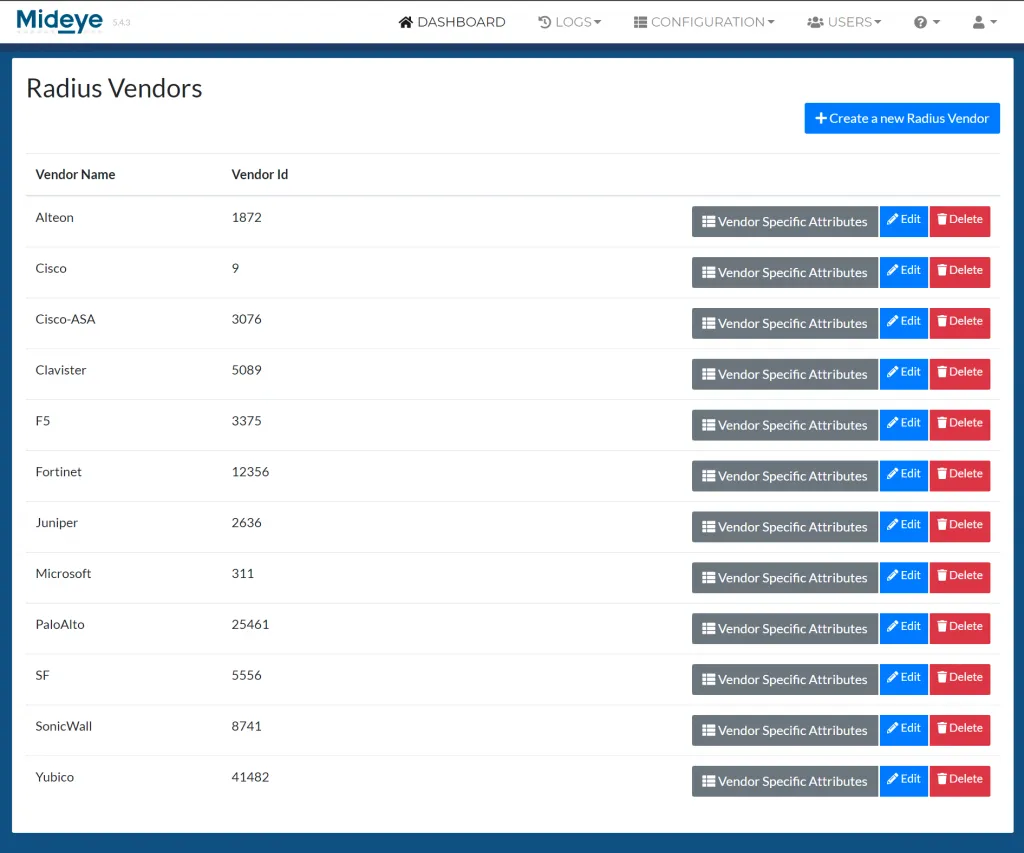
When using LDAP-RADIUS translation, vendor specific attributes (VSA) are often used to send specific attributes as a reply to the RADIUS client. If a VSA is not present when creating a new LDAP-RADIUS translation it is now possible to create any VSA’s based on a vendors specification. This can be done from “Configuration” followed by “Vendor Specific Attributes”.
- Click Radius Vendors.
- Click Create a new RADIUS vendor.
- Add the Vendor ID and the Vendor name. Click Save.
- Go back to Vendor specific attributes and click “Create a new Vendor Specific attribute”.
- Select the Radius Vendor that was created in step 3 and add the ID, name and type. Click Save.
- Navigate to LDAP-RADIUS translation and create a new rule based on the VSA created above.
The “Vendor Specific Attributes” menu can also be used to create any custom attribute. Simply follow step 1-6 and add your own custom attributes and vendor name.